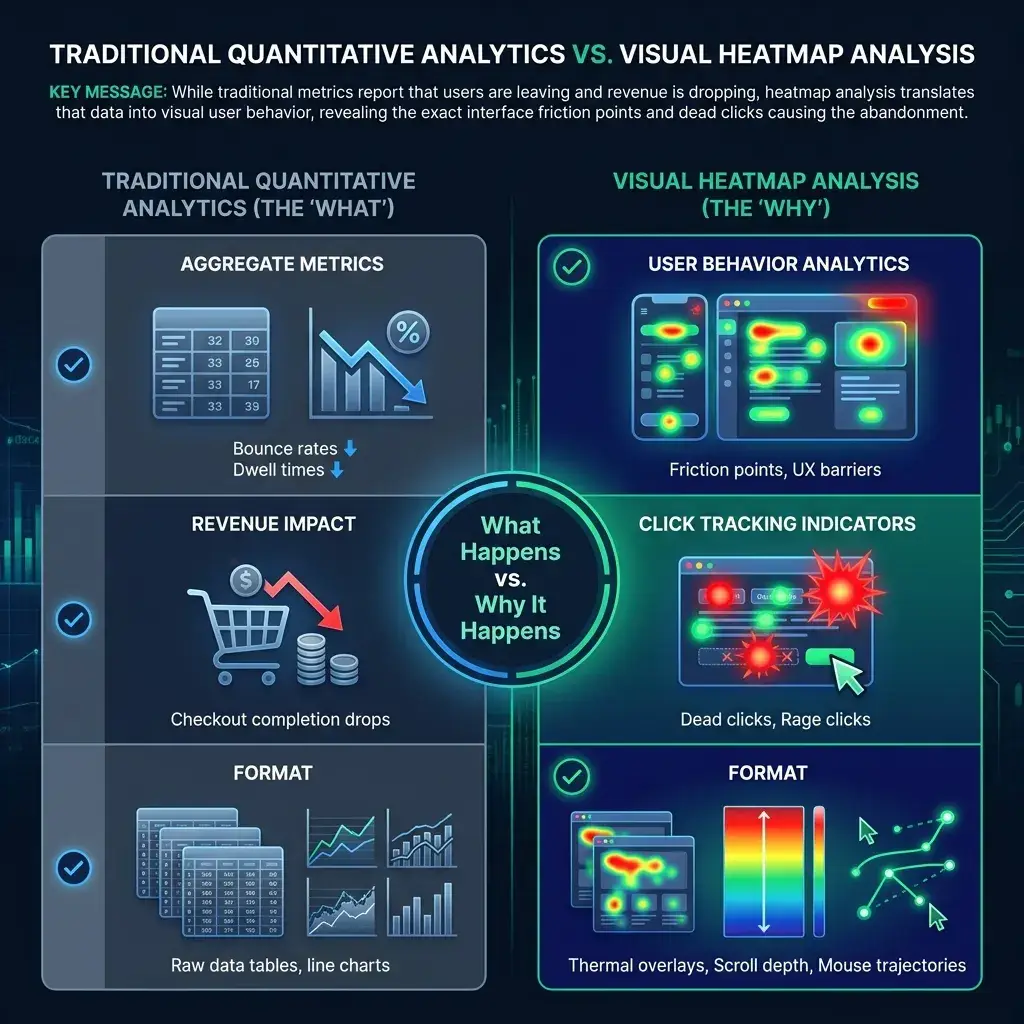

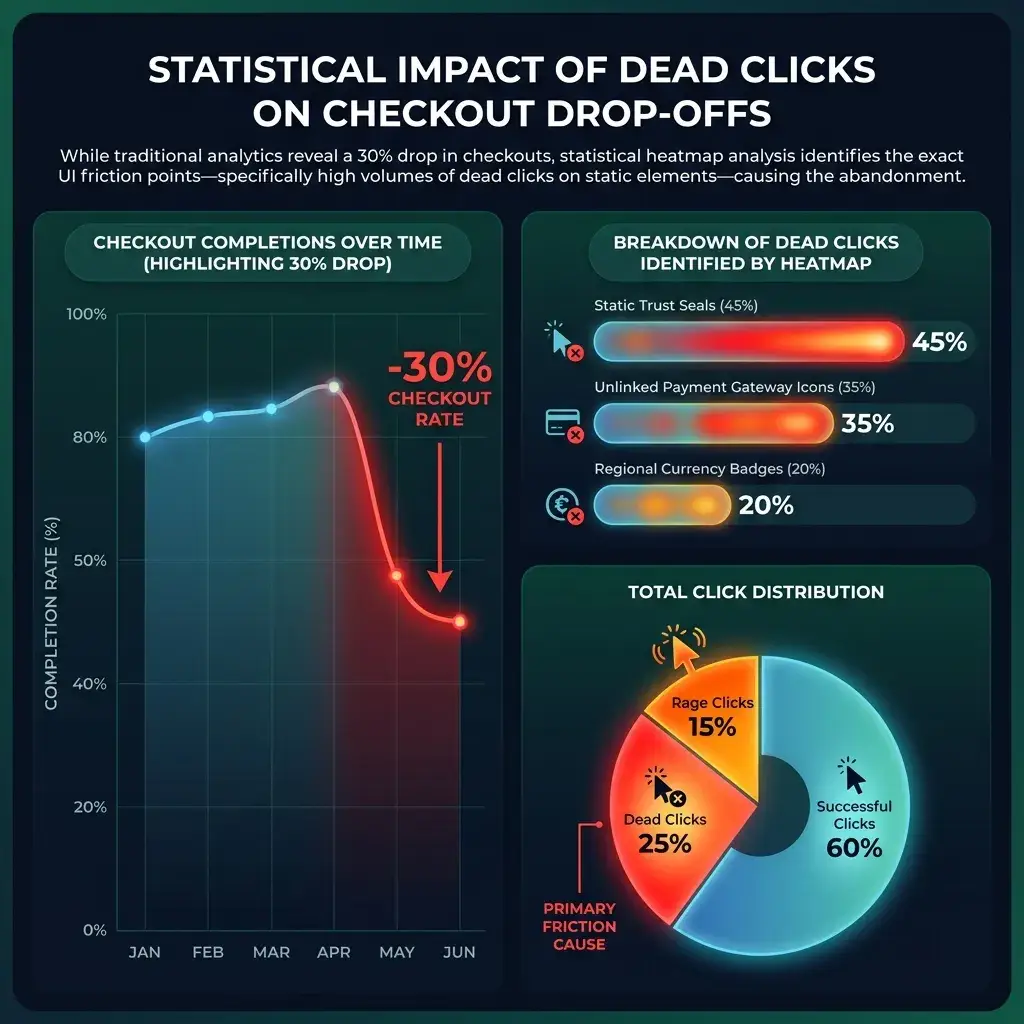
When an international e-commerce merchant experienced a thirty percent drop in checkout completions following a major platform overhaul, traditional quantitative analytics confirmed the revenue dip but offered zero insight into the underlying cause. This is where a website heatmap proves indispensable. While aggregate metrics report bounce rates and dwell times, visual user behavior analytics reveal the precise user experience friction points driving cross-border shoppers away. Conducting systematic heatmap analysis enables digital teams to uncover usability barriers, streamline international conversion pathways, and protect global marketing investments before customer acquisition costs spiral.
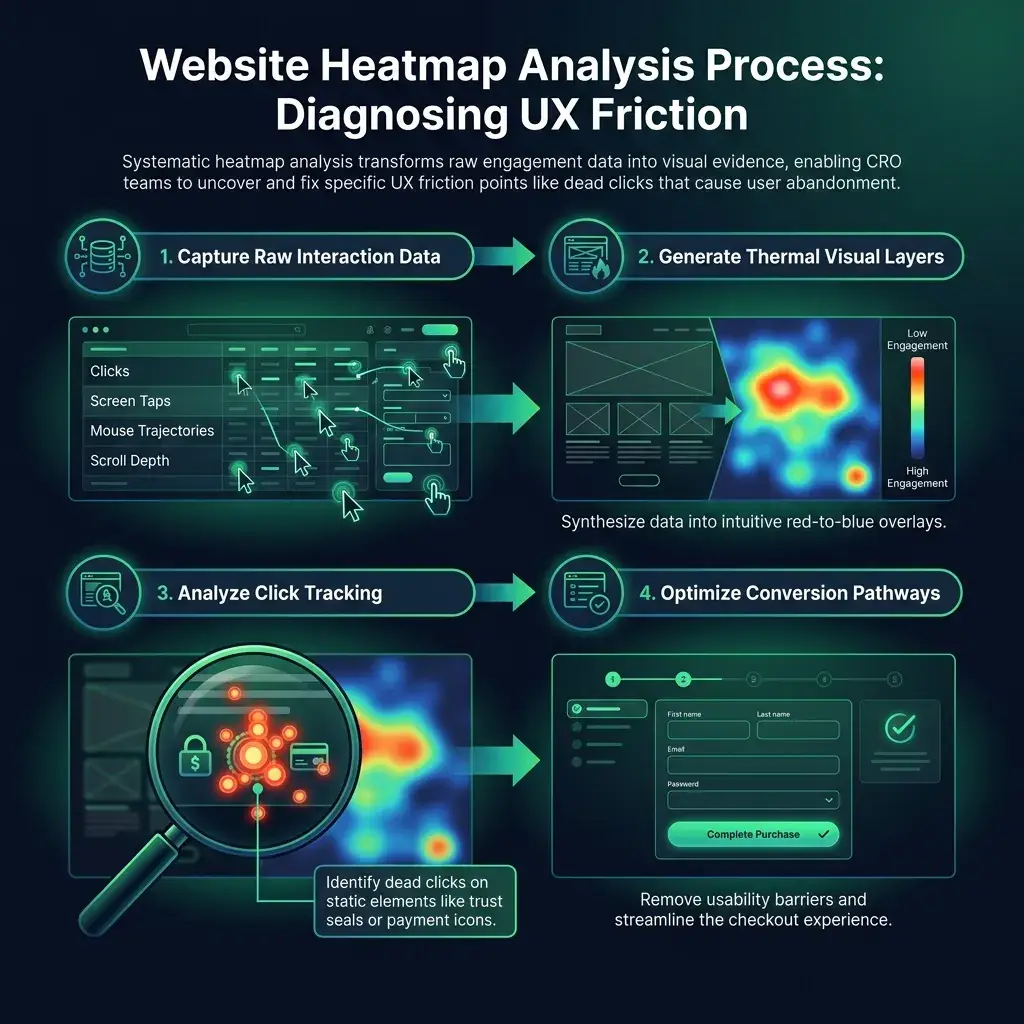
By translating raw data tables into intuitive visual layers depicting clicks, screen taps, mouse trajectories, and vertical scroll depth, interface design oversights and localization disconnects become immediately apparent.

Using Click Tracking to Identify Dead and Rage Clicks
Robust click tracking synthesizes desktop mouse interactions and mobile touch events into an intuitive thermal overlay. Bright red clusters highlight areas of intense user focus, whereas cooler blue gradients signify minimal engagement. While conversion rate optimization (CRO) teams routinely monitor primary call-to-action buttons, the most revealing navigational indicators often surface across secondary interface components.
When evaluating international user sessions, prioritize two critical visual indicators:
- Dead clicks: High-density click clusters on non-interactive elements, such as static trust seals, unlinked payment gateway icons, or regional currency badges. Research from the Baymard Institute indicates that misleading visual affordances regularly frustrate shoppers, prompting users in competitive markets to abandon the site in favor of local alternatives.
- Cold dead zones: High-priority checkout buttons, multi-currency selectors, or localized support links that register little to no user activity due to poor color contrast, awkward hierarchy, or mismatched regional browsing habits.
Diagnosing Friction Points with a Heatmap Tool
A rapid sequence of frustrated taps or clicks on an identical design element is defined as a rage click. This occurs when an international shopper expects an interactive response - such as an expandable size conversion chart or regional customs information - and receives no feedback, signaling a breakdown in interface communication.
Rage clicks reflect broken digital expectations, eroding cross-border brand trust and driving immediate bounce rates.
Deploying a modern, privacy-compliant heatmap tool makes identifying these friction points straightforward. For instance, when a global apparel retailer observed elevated drop-offs across European and Asia-Pacific markets, visual tracking highlighted thousands of repeated clicks on a static international shipping badge. Customers expected an instant breakdown of cross-border duties and delivery timeframes. Replacing the static graphic with an interactive modal displaying localized delivery schedules resolved user hesitation and lifted checkout rates within forty-eight hours.
Furthermore, assessing mobile touchpoints is paramount in mobile-first economies across Southeast Asia, Latin America, and Africa. Touch targets calibrated below the international standard of 48 by 48 pixels routinely generate misclicks, a mobile usability flaw that traditional analytics software fails to isolate.
Evaluating Scroll Maps to Prevent Audience Drop-Off
A scroll depth website heatmap illustrates the proportion of global traffic reaching specific vertical intervals of your page. The viewport area typically displays intense red warmth indicating complete visibility, shifting progressively into cooler tones as international visitors traverse downward or exit.