User Agent
Upcoming featureUser Agent: an AI visitor tests your website
Free signup, no card · 2 free CRO audits · The sample opens without signing up
01 How it works
You set the goal, the agent finds the way
A new customer does not know where things are. The agent starts from there, with no map, and shows you where it gets lost.
- 01
A goal and guides
The goal in one sentence and, if you like, guides: which audience, what to look for, where to stop. - 02
It browses on its own
It looks at the screen, decides, clicks, types and says what it thinks. Up to 40 steps. - 03
You get the report
An ease score, the path in stages, findings with screens and the changes in order.
02 One example
Aster Physio: "book a first assessment next week"
A demo physiotherapy clinic. The agent found a time in three clicks, hunted for the price in the FAQ and stopped at an eight-field account form.
- asterphysio.example
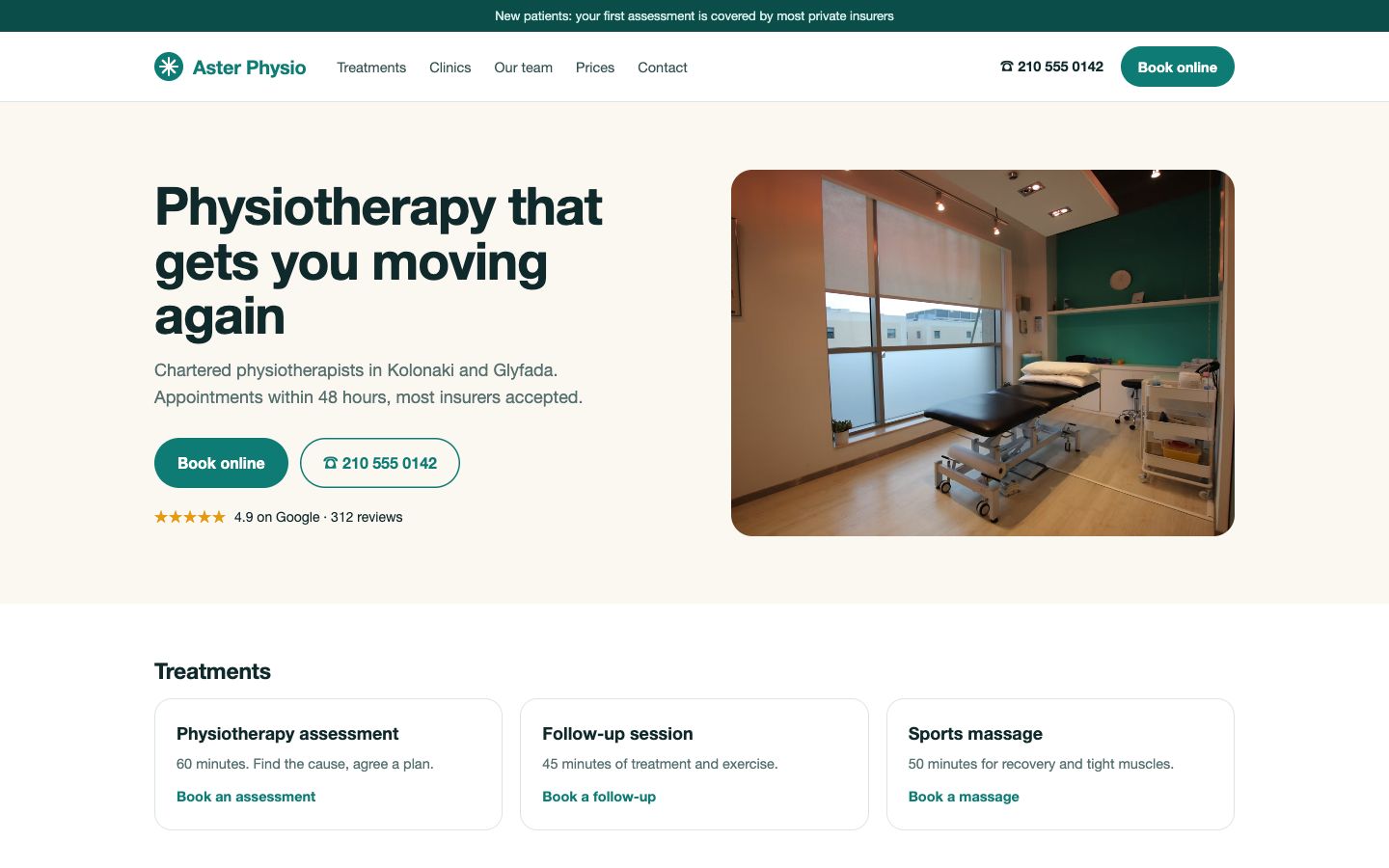 Step 01Click: Book online
“A physio clinic, rated 4.9. I want a first assessment for lower back pain next week. "Book online" is the obvious way in.”
- asterphysio.example
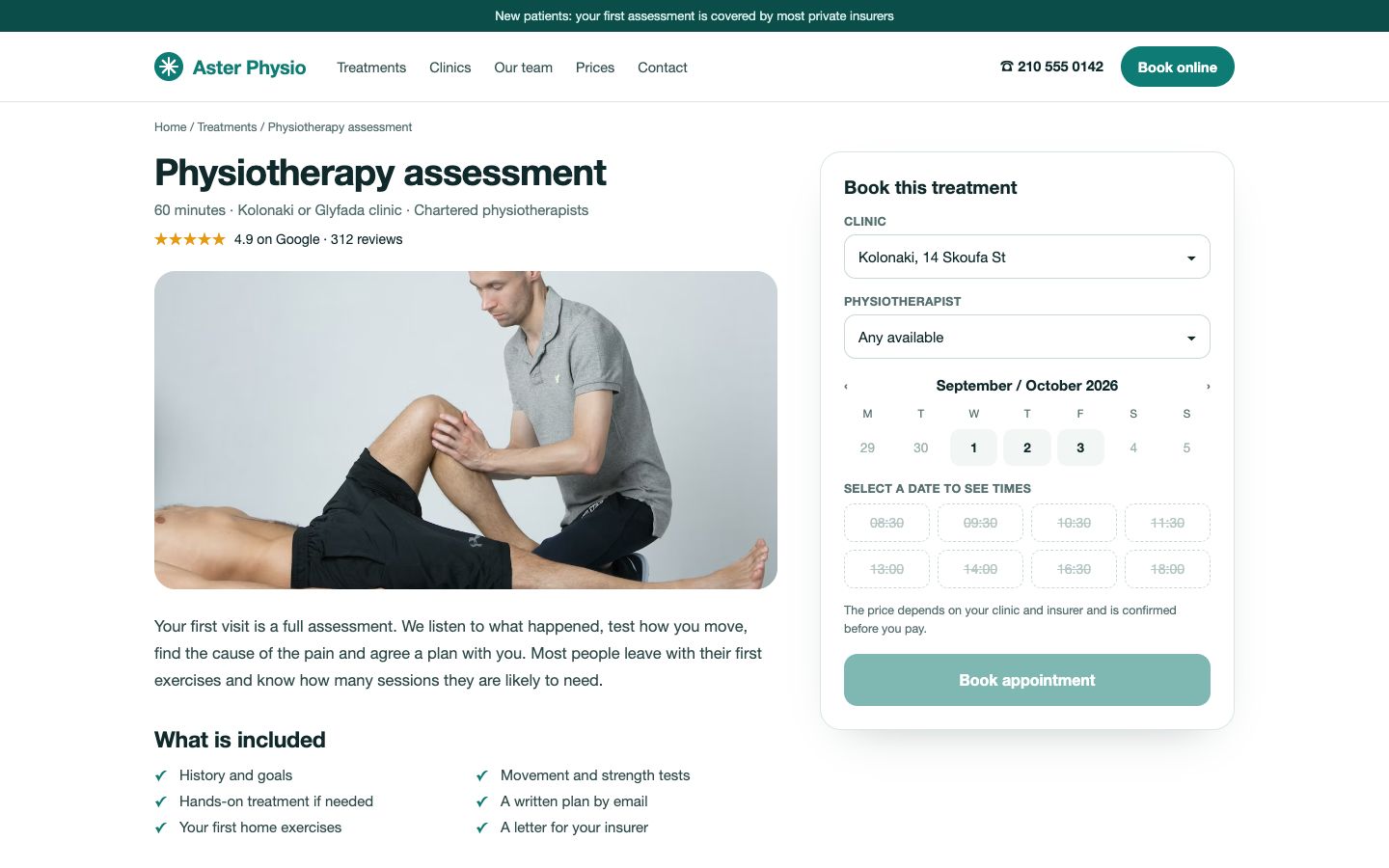 Step 02Click: Thursday
“The booking box is here, but every time is crossed out. Is it fully booked? I will try a day.”
- asterphysio.example
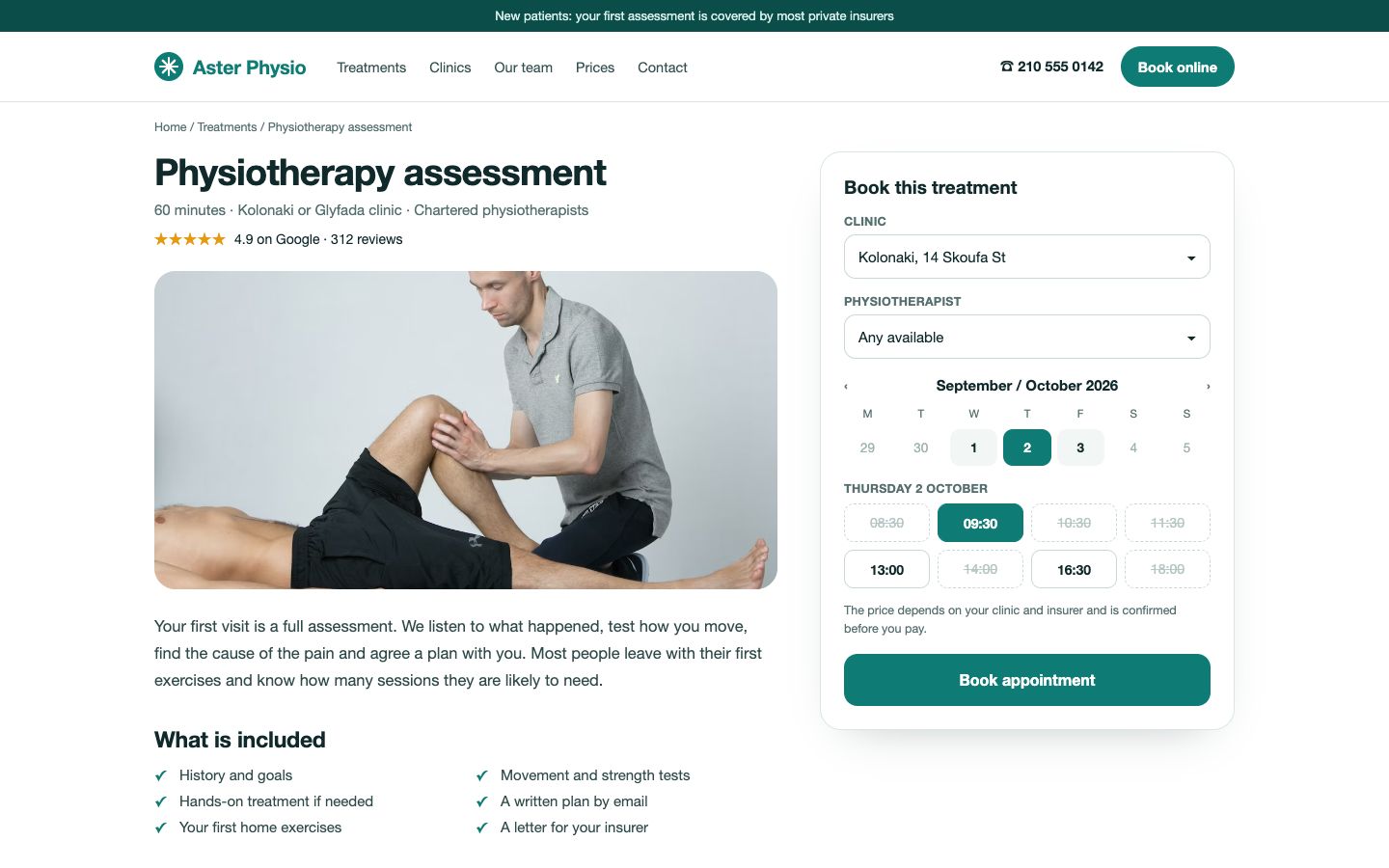 Step 03Click: 09:30
“Thursday has 09:30, 13:00 and 16:30. I take 09:30.”
- asterphysio.example
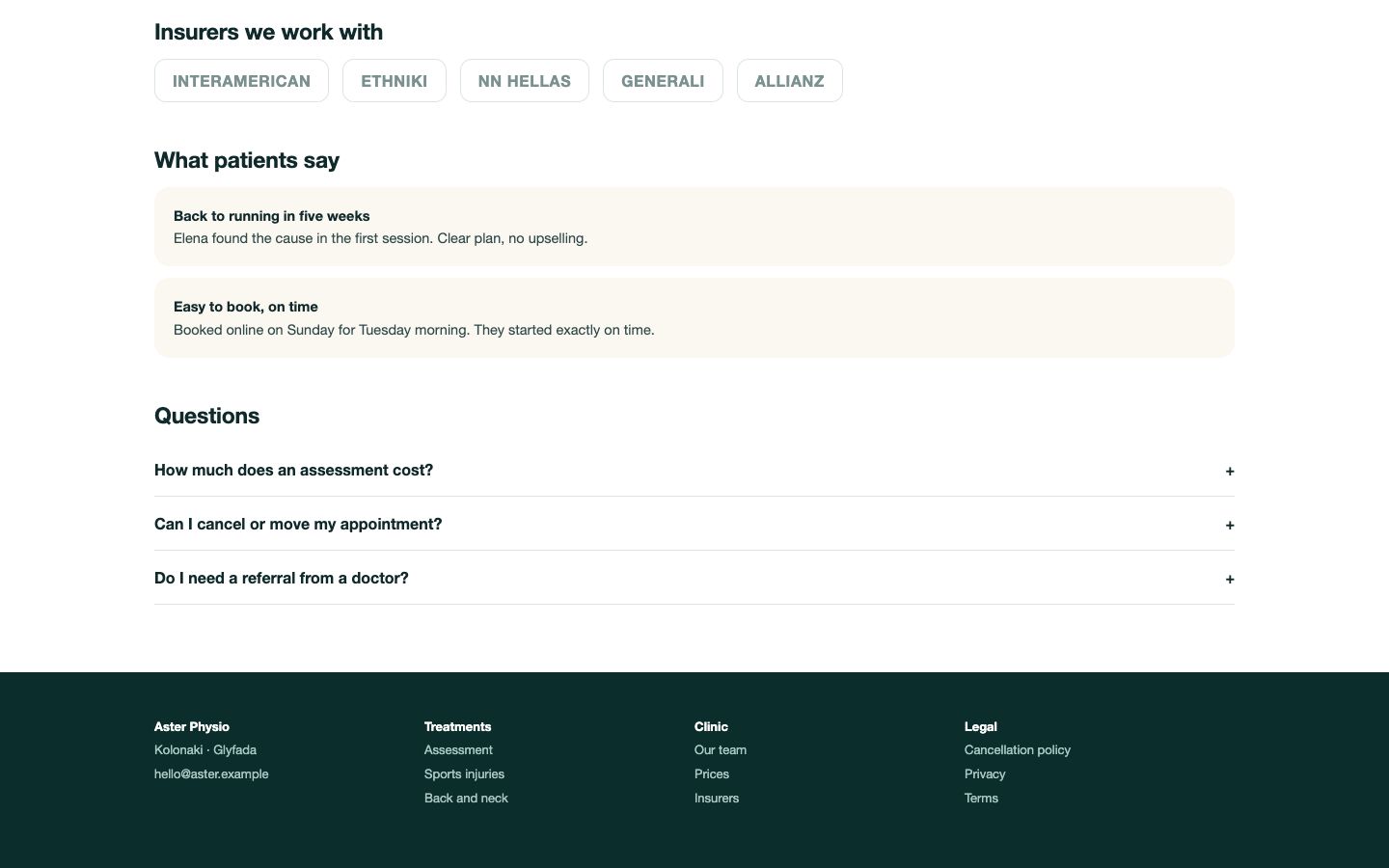 Step 04Scroll to the FAQ
“Before booking I want the price. The box says it "depends". I find it in the FAQ: €60 per session and free cancellation. Both belong next to the button.”
- asterphysio.example
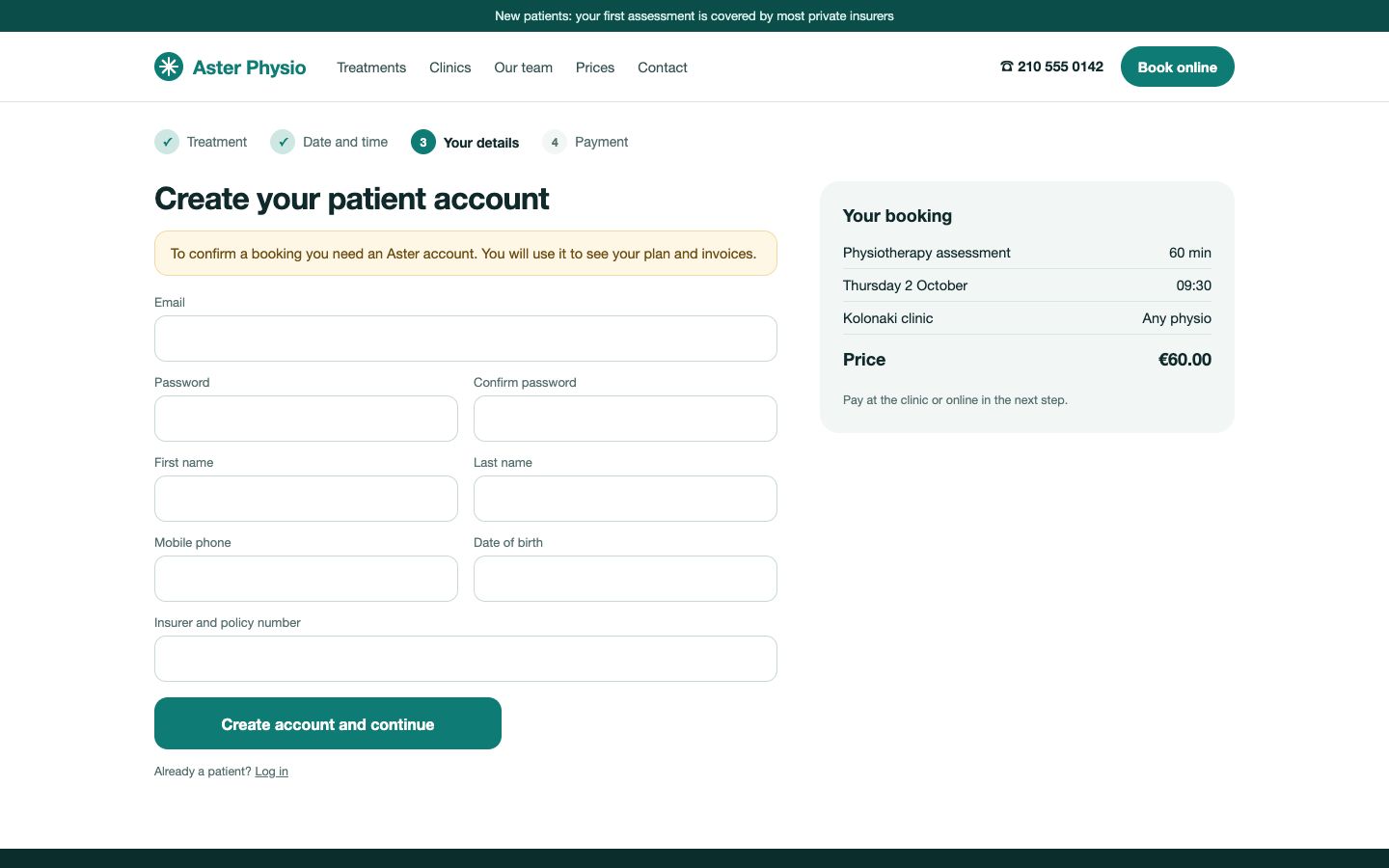 Step 05Stopped
“To confirm I must create an account: eight fields, with a password and date of birth, and no guest option. I do not create accounts, so I stop here.”
Ease score
52/ 100
Getting to a time is quick; the price hunt and the account wall are where people drop.
Service and length are clear; the price is not.
Three clicks to a time, then a scroll to the FAQ.
Eight fields, no guest option.
Strong reviews, hidden policies.
The agent does not create accounts.
An account is required to book
Eight fields, including a password, date of birth and policy number, before anything is confirmed. No guest booking.
The price is not in the booking box
The box says it "depends"; the €60 per session is only in the FAQ.
Times look fully booked at first
Every time is struck through until a day is picked.
The run took 7 steps and was charged 80 credits; the other 170 came back.
Open the full Aster Physio report
Every step with its screen, the five findings, the quick wins and the A/B test.
03 Goals
Whatever a customer would do on your site
The goal is one sentence. The agent adapts to the kind of site.
E-COMMERCE
Find and buy
BOOKING
Book an appointment
LEAD GEN
Ask for a quote
SAAS
Start a trial
04 Safety
Rules written in code
The agent works on your real site. So the limits are not left to the model's instructions: they are checked before every action.
- Never presses a pay or place-order button
- Never types a card, password, IBAN or tax number, so it does not open accounts
- Never deletes, cancels a subscription or unsubscribes
- Fills forms with clearly marked test data
- Stops after 40 steps at most
When it stops
A stop is a finding too. If the agent reaches payment, a forced account or a field it will not fill, the report says exactly where it stopped and what a real customer would have needed to go on.
Aster Physio: stopped at the account form, step 7
05 What you get
One report per run
01
Ease score and five dimensions
02
The path in stages
03
Findings with screens
04
Quick wins and tests
05
Step log
06
06 Cost and plans
You pay for the work done
80
credits for up to 10 steps and 3 pages
250
credits at most, for long runs
250
set aside at the start, the difference comes back
Available on the Pro and Growth plans, opening to accounts gradually. If you already know the pages of the path, the Funnel Audit costs less. For one page in depth there is the CRO Page Audit.
07 Questions
Common questions about the User Agent
See your site through a new customer's eyes
Pick the Pro plan and give the agent a goal. Or open the Aster Physio report first.
