
Understanding how users interact with your website is essential for improving performance and increasing conversions. A website heatmap provides an immediate visual guide to user behavior, and learning how to read a heatmap is a valuable skill for any digital professional. This guide to heatmap analysis will show you how to interpret user actions, move beyond assumptions, and start making data-driven decisions to enhance your user experience.
What is Heatmap Analysis? Decoding User Behavior
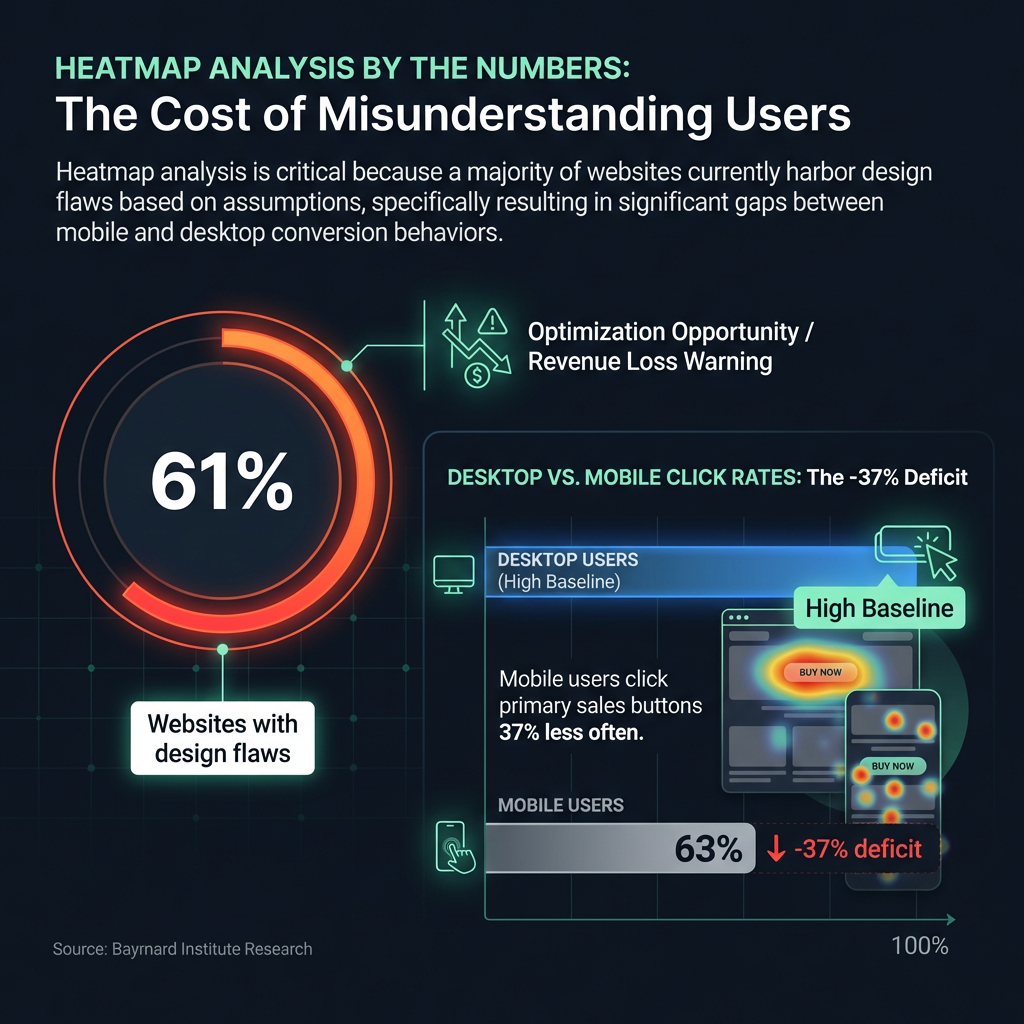
At its core, heatmap analysis is the process of interpreting visual data that shows where users click, move their mouse, and scroll on your website pages. It is much more than a colorful report; it is a powerful method for understanding your users' thought processes. Research from the global usability firm Baymard Institute found that 61% of websites have design flaws resulting from a misunderstanding of user behavior, leading to significant losses in potential revenue. This suggests a majority of websites may have optimization opportunities they are not aware of.
Click Maps: Visualizing User Clicks
A click map offers direct, unfiltered evidence of what captures your audience's attention. It reveals the effectiveness of your design by showing precisely where users click. A thorough analysis of a click map can answer critical questions:
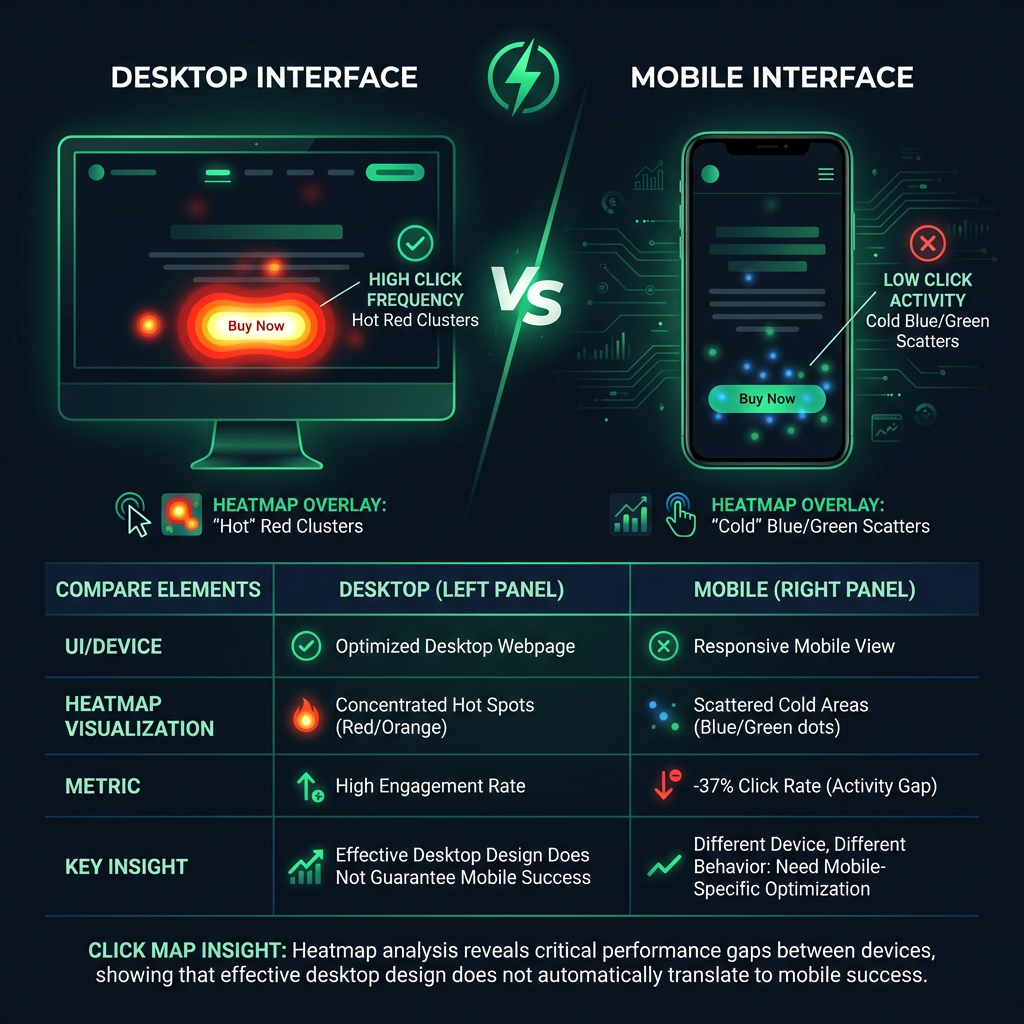

- Is your primary call-to-action button, such as "Buy Now," being overlooked?
- Are users frequently clicking on non-interactive elements like images or text?
- How does click behavior differ between desktop and mobile users?
For example, an analysis of an international e-commerce site revealed that mobile users clicked on primary sales buttons 37% less often than desktop users. This type of insight, discovered through a detailed click map, is fundamental for mobile-first optimization strategies.
How to Read a Heatmap: Understanding Scroll Maps
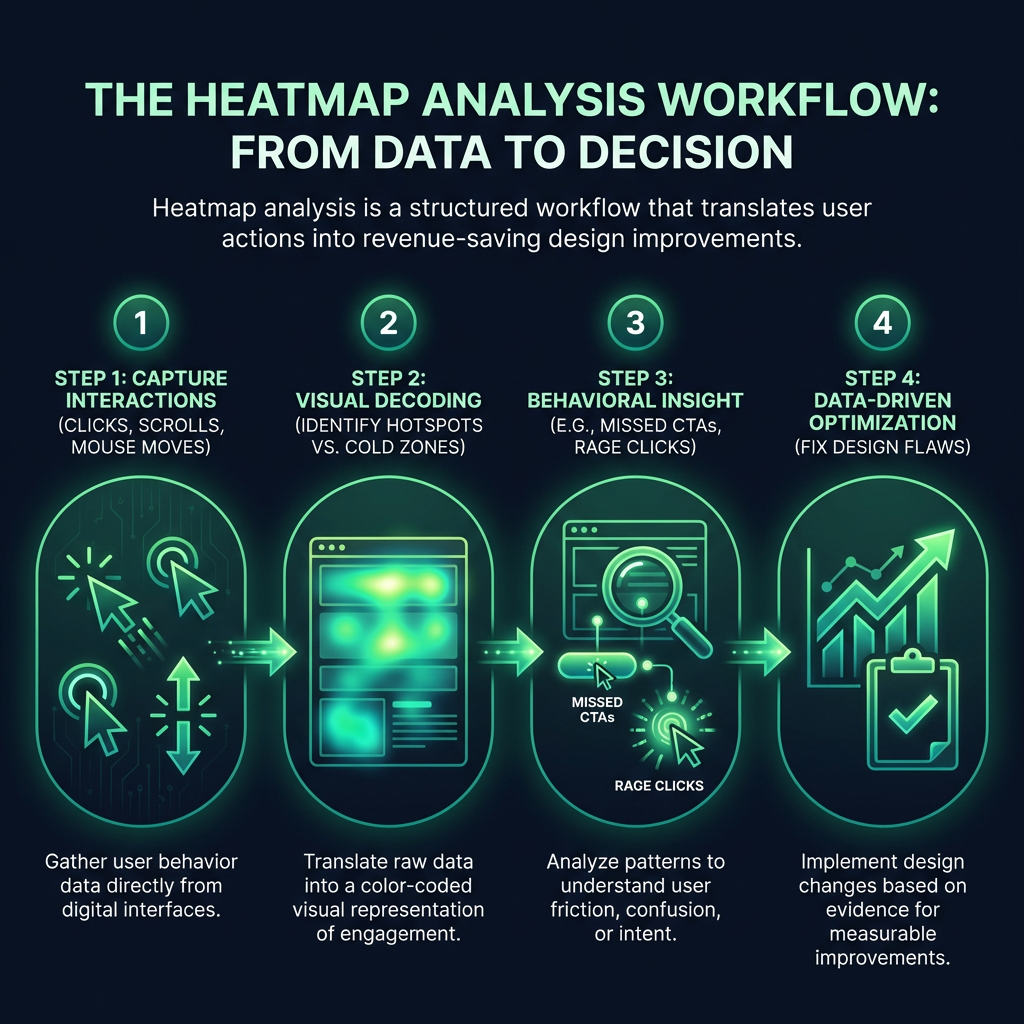
A scroll map illustrates a key part of the user journey: how far down a page visitors are willing to scroll. For years, studies from usability experts like the Nielsen Norman Group have shown that most user attention is concentrated on the content visible without scrolling, often called the area "above the fold." A scroll map visually confirms this by using color gradients to show the most and least viewed sections of a page.
Do you have valuable content and compelling calls-to-action at the bottom of your page? A scroll map will quickly tell you if users ever see them.
Advanced Scroll Map Interpretation
Professional heatmap analysis goes a step further. It is not just about how far users scroll, but also how quickly they scroll. Are they moving rapidly past an entire section, or are they slowing down to read specific content? These moments of hesitation indicate what truly captures their attention and what is ignored, giving you clear direction on where to place your most important information for maximum impact.