

A comprehensive user experience audit (UX audit) is the most effective way to discover why your website may be underperforming and how to fix it. If your site has a confusing menu, a difficult-to-use form, or a button that causes user hesitation, you could be silently losing revenue. This detailed analysis identifies these points of user friction and provides an actionable roadmap to improve your site's performance and profitability.
What is a User Experience Audit?
A user experience audit is a systematic and detailed evaluation of how users interact with and perceive your website or digital product. It is more than a simple design review; it is a systematic process for uncovering the root causes of user frustration and abandonment. Overlooking this process can be a significant business risk, as industry research shows 88% of online consumers are less likely to return to a site after a single bad experience. For your business, that represents a significant and preventable loss of revenue.
What a UX Audit Investigates
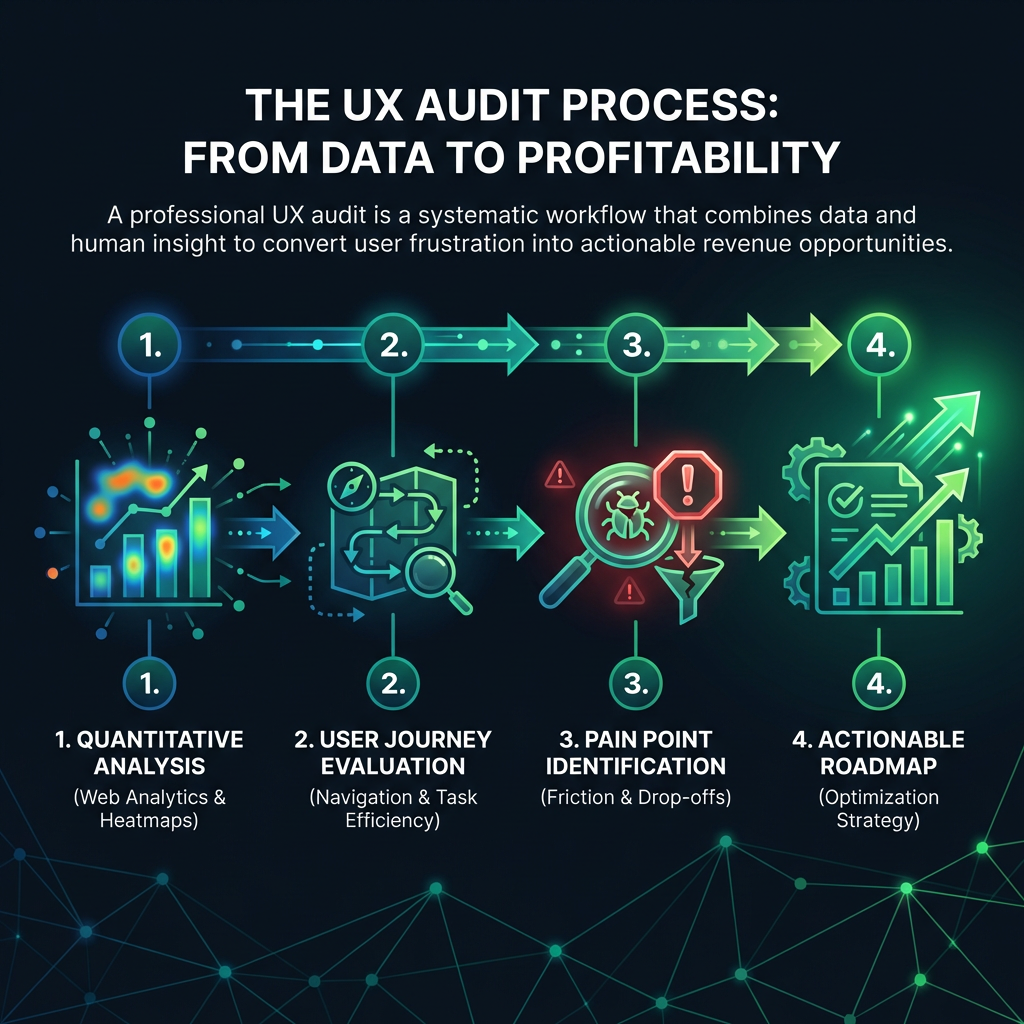
A proper website usability audit examines each layer of the user journey. It analyzes everything from initial impressions to the final conversion step to understand user motivations, pain points, and the specific moments that cause them to leave. This analysis looks at navigation clarity, task efficiency, accessibility, and overall user satisfaction to build a comprehensive overview of your site's performance.

How to Conduct a Professional UX Audit
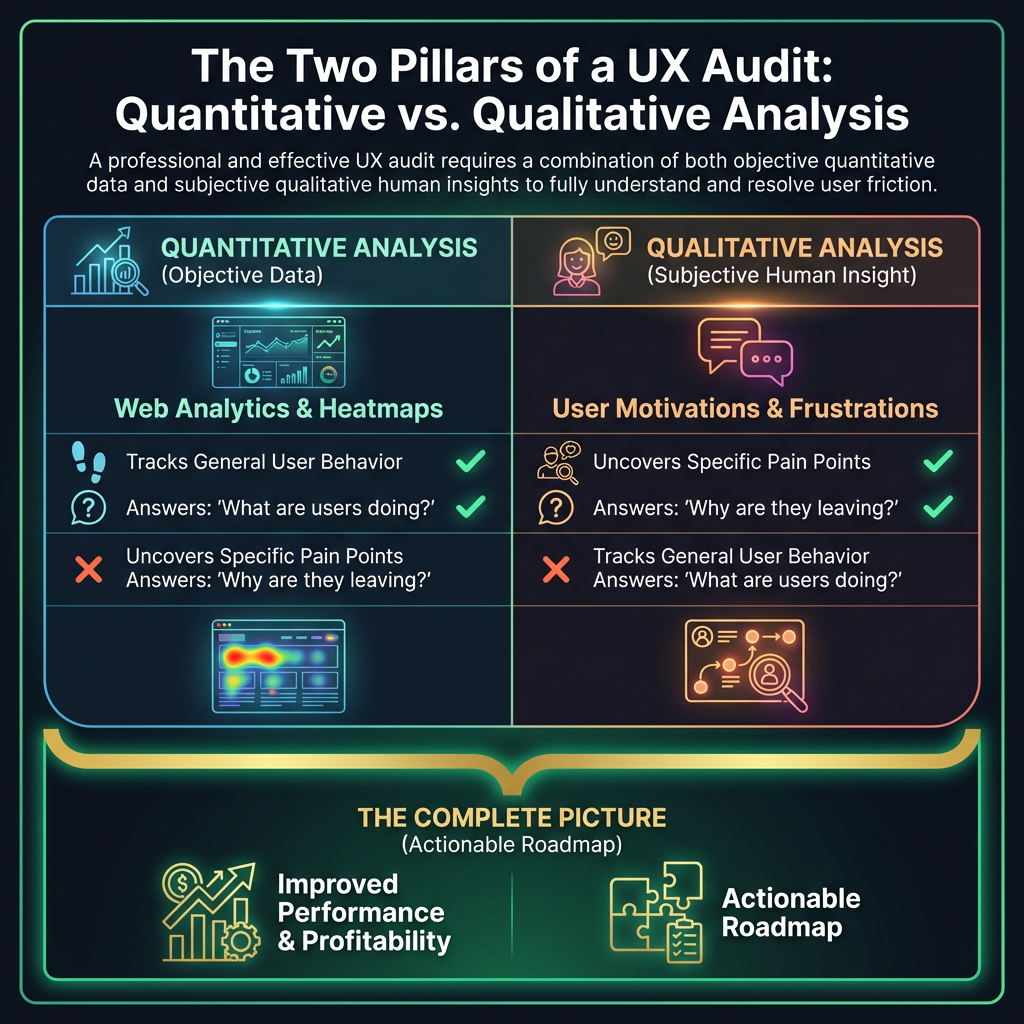
A professional UX audit combines objective data with subjective human insight for a complete picture. This approach reveals issues that quantitative data alone cannot explain.
1. Quantitative Analysis: The Data-Driven Approach
The audit process begins with quantitative data. We analyze web analytics (such as from Google Analytics) to understand user behavior, review heatmaps to see where people are clicking, and examine conversion funnels to pinpoint exactly where users drop off. This data helps identify the "what" and "where" of usability problems.
2. Qualitative Analysis: The Human Element
Data provides the "what," but not the "why." The most valuable insights emerge when you add the human element to your user experience analysis. This involves watching session recordings of actual user journeys and conducting user interviews to understand their experience in their own words. Combining these two approaches uncovers the "why" behind the data.
The most critical usability issues are often subtle. A half-second delay in page load time can decrease conversions by up to 20%. A checkout process that feels slightly confusing? You risk losing nearly 70% of those potential sales.
Your Essential UX Audit Checklist and Techniques
Instead of a generic list, you need a strategic framework to perform your own website usability audit. Start by focusing on the most critical user journeys: landing on the homepage, finding a product, the checkout process, and the mobile experience. To begin your analysis, use these powerful techniques as your UX audit checklist.
Consider an e-commerce client that was experiencing a high cart abandonment rate. A UX audit revealed their product filtering system was so confusing that it was causing 42% of users to abandon their search. A simple redesign of the filter system led to a significant recovery in lost revenue.
User Flow Mapping and Journey Analysis
Visually trace the paths users take through your website. This technique is invaluable for showing you exactly where they get lost, encounter dead ends, or get stuck in a frustrating loop. It helps you optimize the most important conversion paths.