
Infographic για digital marketing - οπτικοποίηση εννοιών website heatmap, AI for conversion rate optimization, neuromarketing
    eyecaptain.io

    AI Attention Heatmaps: See Your Site Through Your Customers' Eyes Before They Click

    Traditional heatmaps show what happened. AI attention heatmaps predict what will happen—before you publish. Learn how predictive eye-tracking changes CRO.

    EyeCaptain

    Dimitris

    29 June 2026

    3 min read
    57 views
    website heatmapAI for conversion rate optimizationneuromarketingheatmap analysisUI/UX analysis

    Is your new website failing to convert visitors into customers? This is a common challenge. While traditional analytics can show you what happened on your site, they often fail to explain why users ignored your key calls-to-action. This is where a predictive website heatmap, powered by AI for conversion rate optimization, offers a significant advantage. It reveals what your visitors truly see and pay attention to - before you lose potential customers.

    You might be left guessing whether the main image, button placement, or product layout was the problem. Standard analytics show click data, but that's after you've already lost the visitor's interest. They cannot tell you where users were looking before they decided not to click, or why they scrolled right past your most important message. This gap in understanding is precisely what AI-driven attention heatmaps are designed to fill.

    What is an AI Website Heatmap and How Does it Work?

    First, it is important to distinguish these from traditional website heatmaps. A conventional heatmap tracks mouse movements and clicks, which is reactive data. You need a significant amount of traffic and time - often thousands of visits - to gather useful insights. By then, you may have already lost substantial revenue.

    AI attention heatmaps are a proactive tool for UI/UX analysis. They operate on powerful algorithms trained on decades of scientific eye-tracking studies from globally recognized research institutions. This technology, known as predictive eye-tracking, has learned the core principles of human vision. It can forecast with over 90% accuracy where a person's eyes will land in the first 3-5 seconds of viewing a page. That initial window is critical; it is when a visitor decides to stay or leave.


    AI Attention Heatmaps: See Your Site Through Your Customers' Eyes Before They Click infographic showing website heatmap, AI for conversion rate optimization, neuromarketing for digital marketing
    EyeCaptain
    eyecaptain.io
    This fusion of data science and cognitive psychology is a core component of modern neuromarketing, turning design intuition into actionable data.

    The AI analyzes visual elements like contrast, color, faces, and text to predict attention flow. For instance, it understands that a high-contrast item will grab focus, or that a human face will draw the eye away from other elements. The models also account for cultural reading patterns, such as left-to-right for English or right-to-left for Arabic, to provide relevant predictions. The process is simple: upload a design or screenshot, and within seconds, you receive a detailed heatmap analysis. Red indicates high attention, while blue means an area is likely to be ignored - no traffic or waiting required.

    Why Key Elements Are Ignored: A Neuromarketing Perspective

    When a visitor lands on your site, they form a first impression in just 50 milliseconds, a finding confirmed by research from the Nielsen Norman Group. In that instant, your design must effectively guide their focus to what matters most. If it fails, their attention scatters, and your message is lost.

    Many websites unintentionally create visual chaos. You might have a perfectly worded call-to-action (CTA), but if it lacks visual prominence, the brain simply overlooks it. Your unique value proposition might be compelling, but if the font is too small or lacks contrast, it becomes functionally invisible. This is where AI for conversion rate optimization becomes invaluable, exposing these blind spots instantly.

    Common mistakes an AI heatmap can reveal include:

    • Misplaced CTAs: Placing a CTA in the center of a large banner seems logical, but if a high-contrast image is off to the side, the user's eye will go there first. By the time their gaze shifts, they may already be scrolling down.
    • Overly Prominent Navigation: A navigation menu with bold colors can steal attention from the main headline, causing visitors to evaluate navigation options before understanding your core offer.
    • Improper Use of Faces: Faces are powerful attention magnets. A photo of someone looking at the camera will dominate the visual hierarchy. However, using the principle of gaze-cuing - where the person in the photo looks towards your CTA - is a proven neuromarketing technique to direct user attention precisely where you want it.
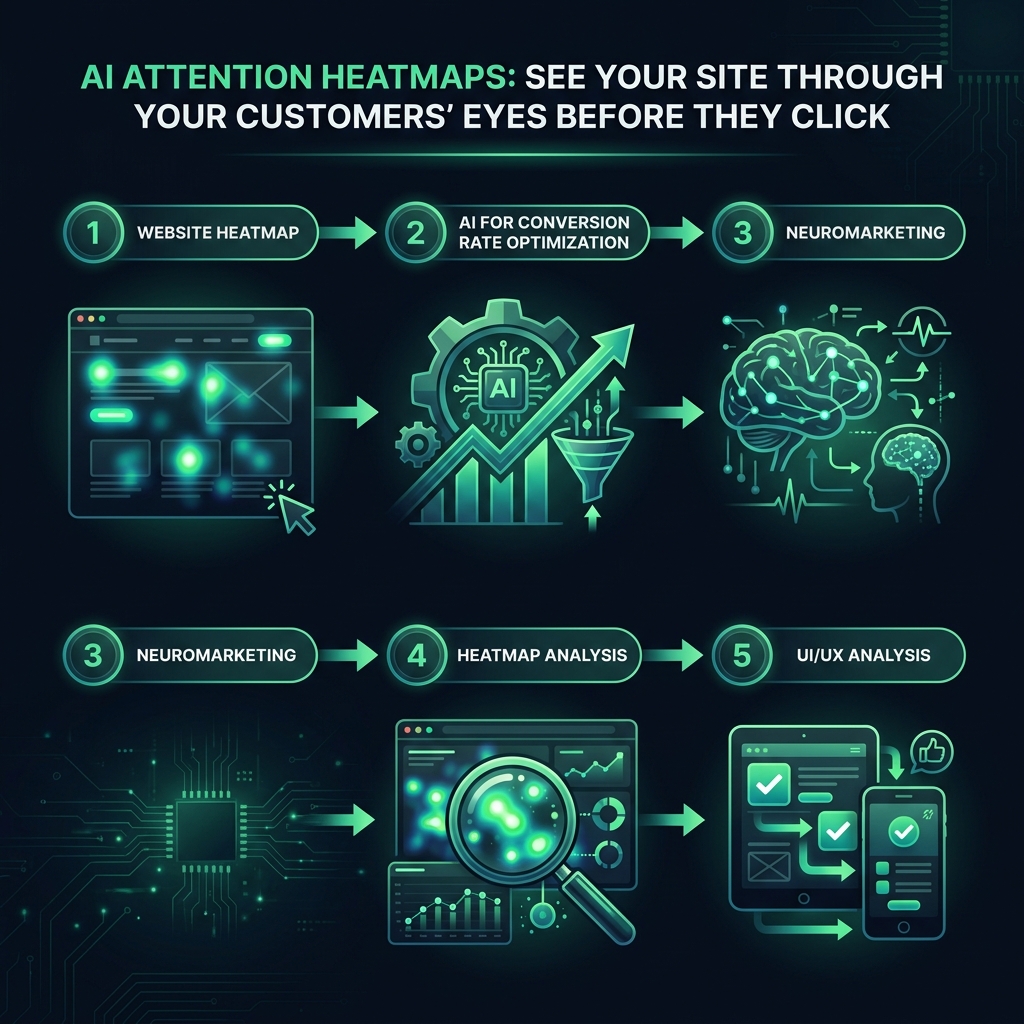
    AI Attention Heatmaps: See Your Site Through Your Customers' Eyes Before They Click infographic showing website heatmap, AI for conversion rate optimization, neuromarketing for digital marketing
    EyeCaptain
    eyecaptain.io

    Often, a conversion problem is not about your offer, copy, or price. It is simply that no one is actually seeing the most important information.


    EyeCaptainEyeCaptain
    97%
    Conversions Booster

    Your visitors leave without converting

    Most websites lose 97% of their traffic without a single conversion. Our AI scans 200+ CRO elements to find exactly where visitors drop off.

    Hero CTA missing

    The Critical Mobile UI/UX Analysis

    On mobile devices, these attention issues are amplified. The screen is smaller, and attention spans are shorter. In many global markets, mobile is the primary or only way users access the internet. The Baymard Institute found that mobile users are significantly less likely to complete a purchase than desktop users, often due to poor usability and information processing.

    The initial view of a mobile screen is your entire stage. If your logo, menu, and promotional banners consume most of that space, you have a tiny window to present your value before the user must scroll. A predictive website heatmap shows whether those precious pixels are working effectively. For many sites, they are not - the headline is too small, the CTA is below the initial view, and the main image is just decorative noise.

    How to Use Heatmap Analysis for Conversion Rate Optimization

    Putting this powerful UI/UX analysis tool into practice is straightforward. The goal is to align your visual design with your business objectives by spotting the discrepancies between where people are looking and where you need them to look.

    Here is how to start:

    1. Analyze High-Impact Pages: Begin with your homepage, product pages, and checkout process. Run an AI attention analysis on each to establish a baseline.
    2. Optimize Your CTAs: If your "Add to Cart" button is in an area of low attention (indicated by blue on the heatmap), the issue is likely the surrounding elements. Reduce clutter, increase the button's color contrast, and re-run the analysis until it shows high attention.
    3. Strengthen Visual Hierarchy: If your main headline is being ignored, try increasing its font size or moving it higher on the page. A simple change can transform it into a primary focal point.
    4. Refine E-commerce Pages: For product pages, your heatmap analysis can show if shoppers are focused on the main product image and "Buy" button or are distracted by secondary information. Simplify if necessary to keep attention on the conversion path.
    5. Test Variations Pre-Launch: Before committing to development, upload different layouts and compare their heatmaps side-by-side. The design that directs attention to your key conversion elements most effectively is the clear winner, saving you weeks of costly live A/B testing.
    AI Attention Heatmaps: See Your Site Through Your Customers' Eyes Before They Click infographic showing website heatmap, AI for conversion rate optimization, neuromarketing for digital marketing
    EyeCaptain
    eyecaptain.io

    This process is not about subjective aesthetics; it is about using AI for conversion rate optimization to ensure every pixel on your page serves a purpose. By understanding and directing user attention, you can resolve conversion issues and build a website that is not only visually appealing but also effective at achieving its business goals.

    Enjoyed this article?

    Join 1,500+ professionals getting weekly CRO & UX tips

    🎁 Bonus: Weekly CRO insights + exclusive resources

    No spam. Unsubscribe anytime.

    🚀 Boost Your Conversion Rate with EyeCaptain

    EyeCaptain is an AI-powered CRO & UX analysis tool that automatically scans your pages, identifies UX issues, and gives you actionable optimization suggestions to increase conversions. Try it for free, no card, no commitment.

    Free CRO Audit

    Did you find this helpful?

    Share it with someone who might find it useful.

    Be the first to learn CRO secrets

    Actionable tips, case studies & early access to new AI tools. Weekly in your inbox.

    1,200+ marketers trust us

    Cookie Settings

    We use cookies to improve your experience.